

OBS Studio is a free and open source software for video recording and live streaming. An auxiliary app called DigiBallScanner automatically generates DigiBall images in real time so that video overlays of cue ball tip position, speed, spin, and other stats can be added to live games, matches and tournaments.
Links:
Open Broadcast Software (OBS): https://obsproject.com/
DigiBallScanner (macOS): download app
Mac Computer
Most Macs today (post 2015) already have built-in BLE adapters.
Download and install the DigiBallScanner app from the Apple store here.
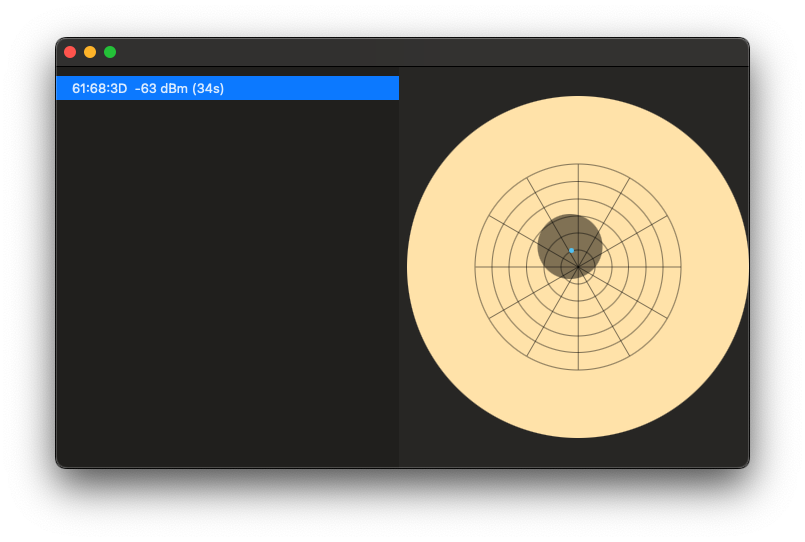
The DigiBallScanner app for macOS has a very simple graphical interface. Select from the observed DigiBall devices on the left. A picture of the ball and tip contact point is shown on the right. Leave the app open and running.
Note: For the Mac version there is currently not an option to select multiple balls simultaneously.
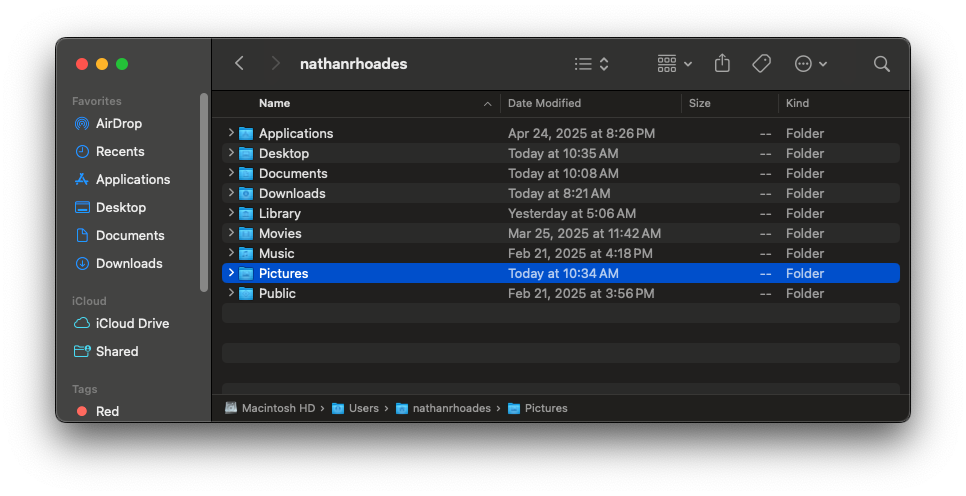
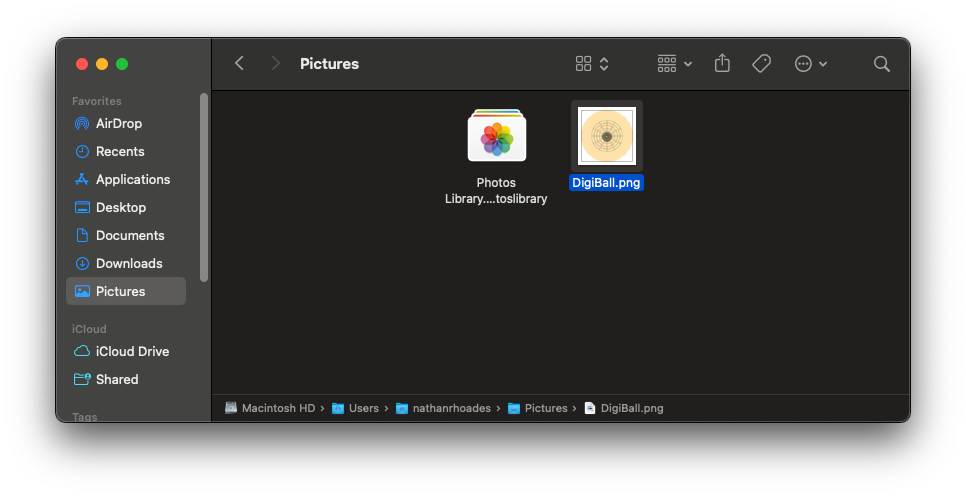
You may also want to add your Pictures folder to your Favorites in Finder to make access easier. To do this, drag and drop your Pictures folder into your Favorites section of the sidebar.
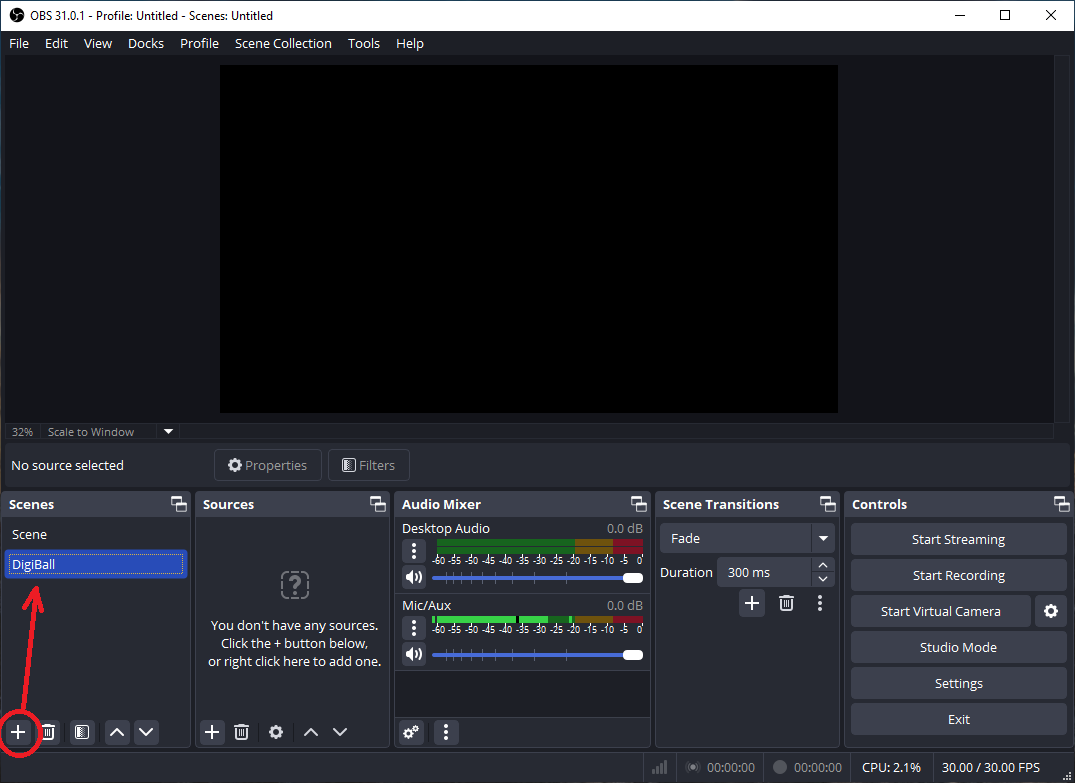
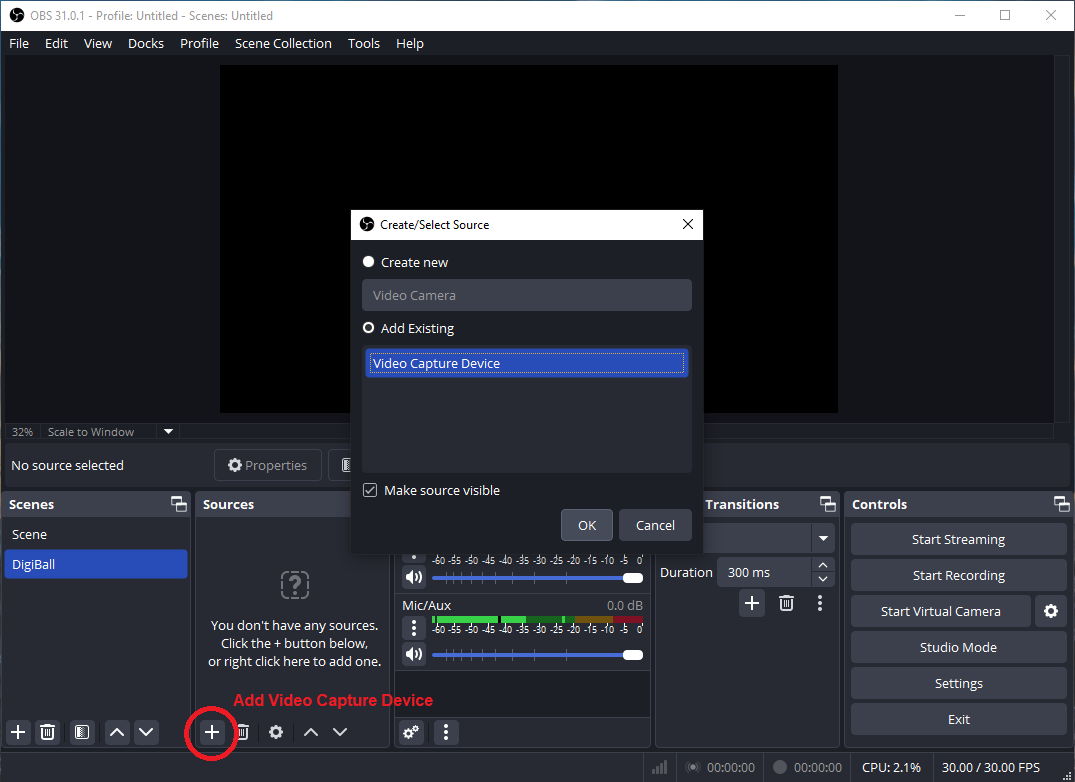
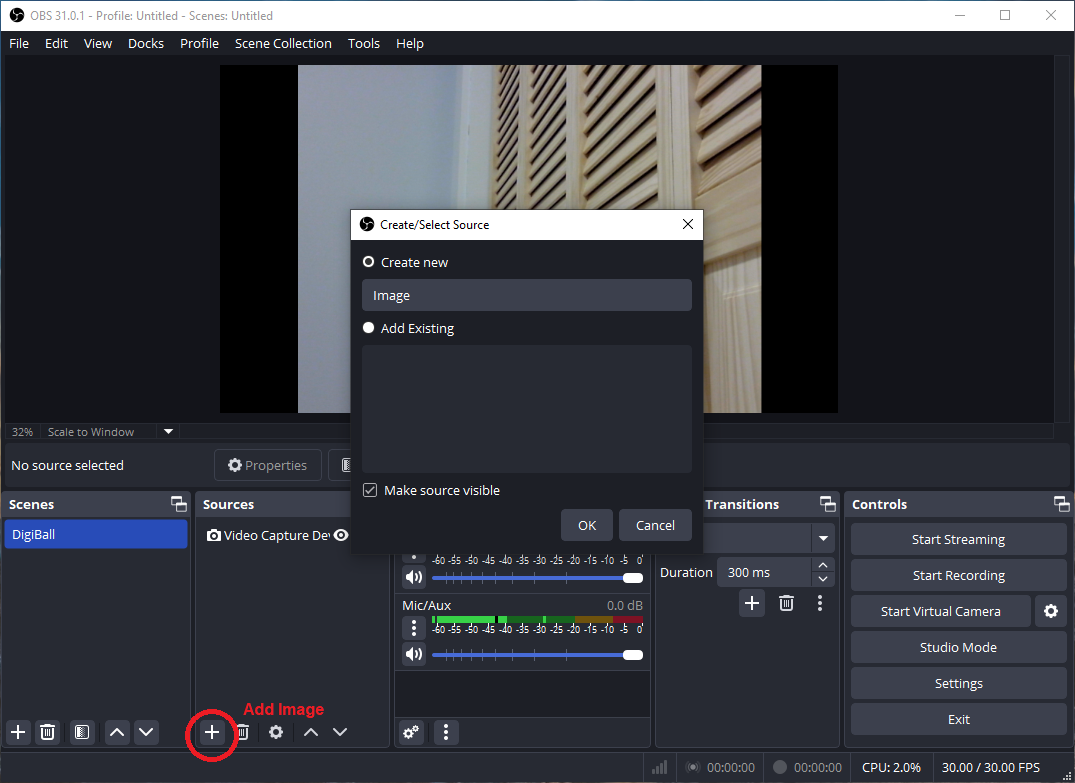
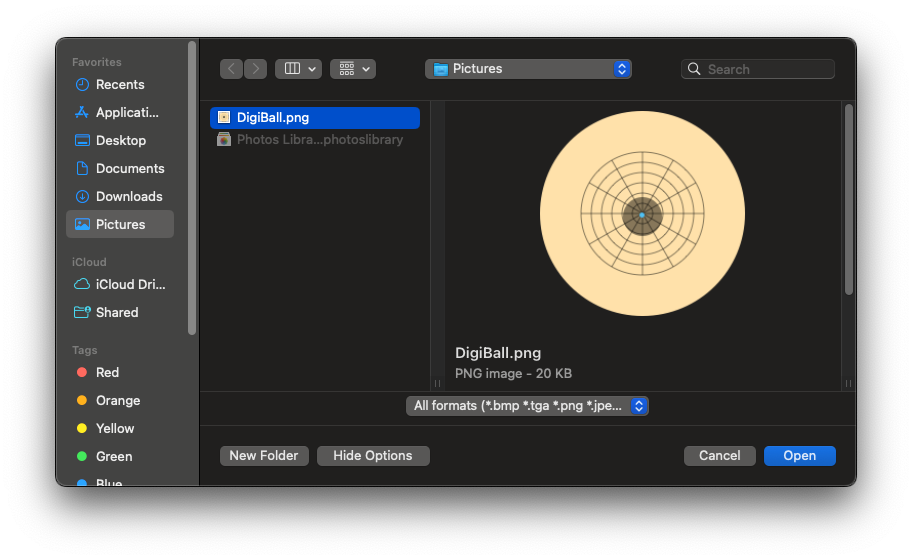
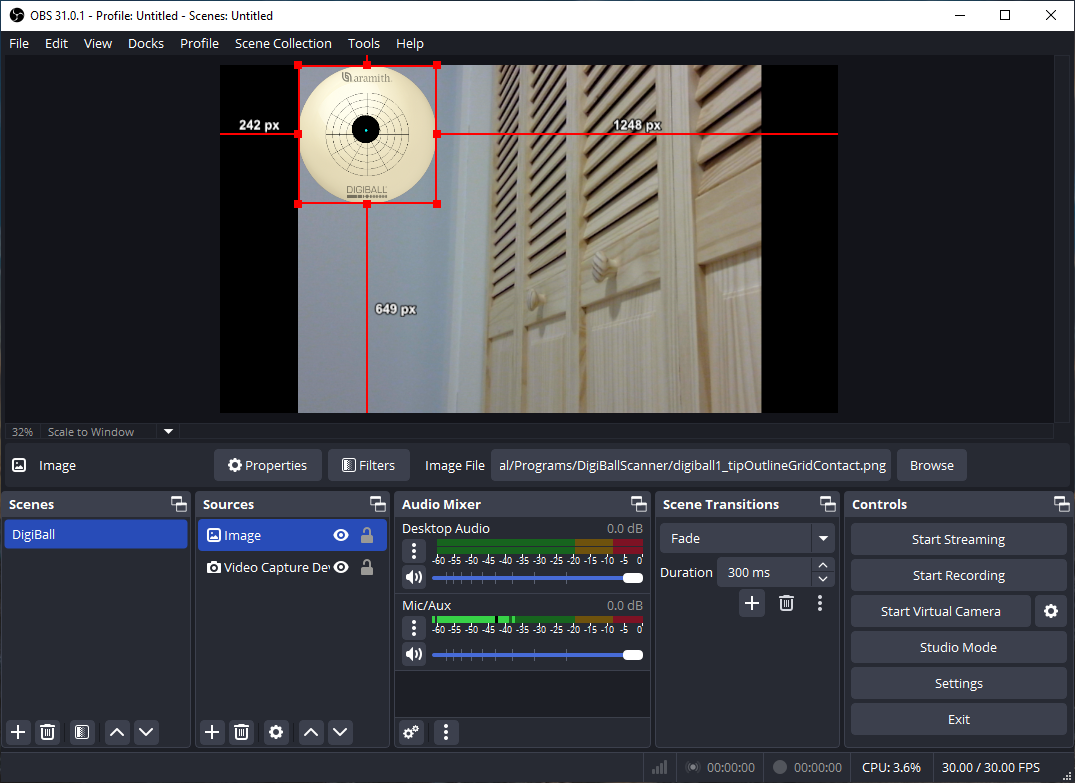
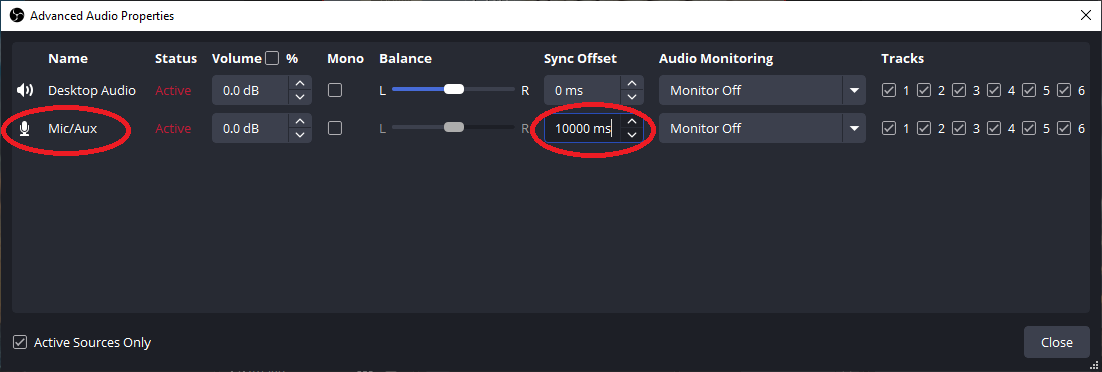
You can create the effect of the DigiBall graphic updating before a shot is taken by adding a fixed delay to the video and audio inputs.
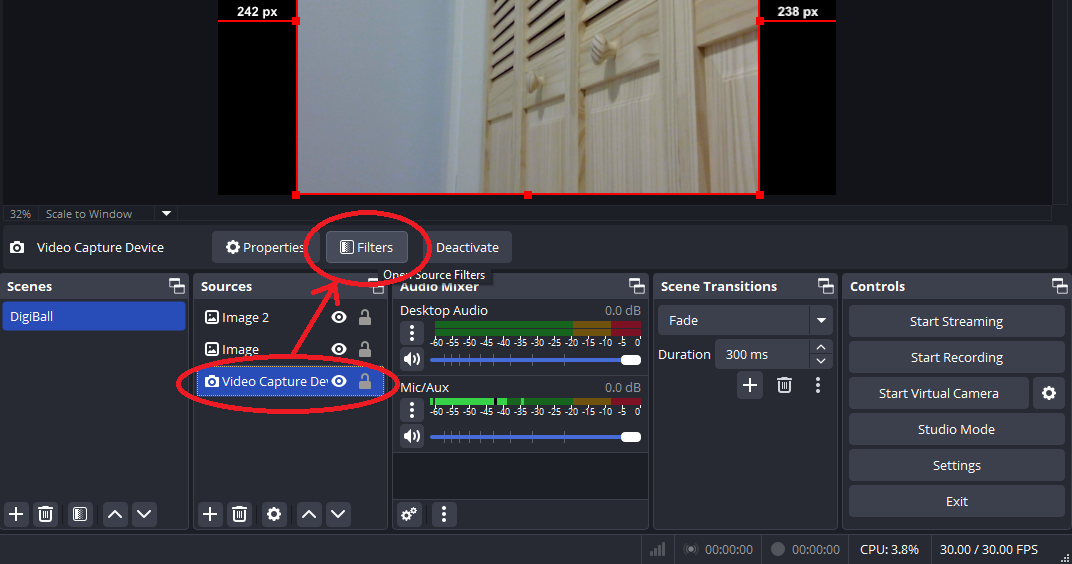
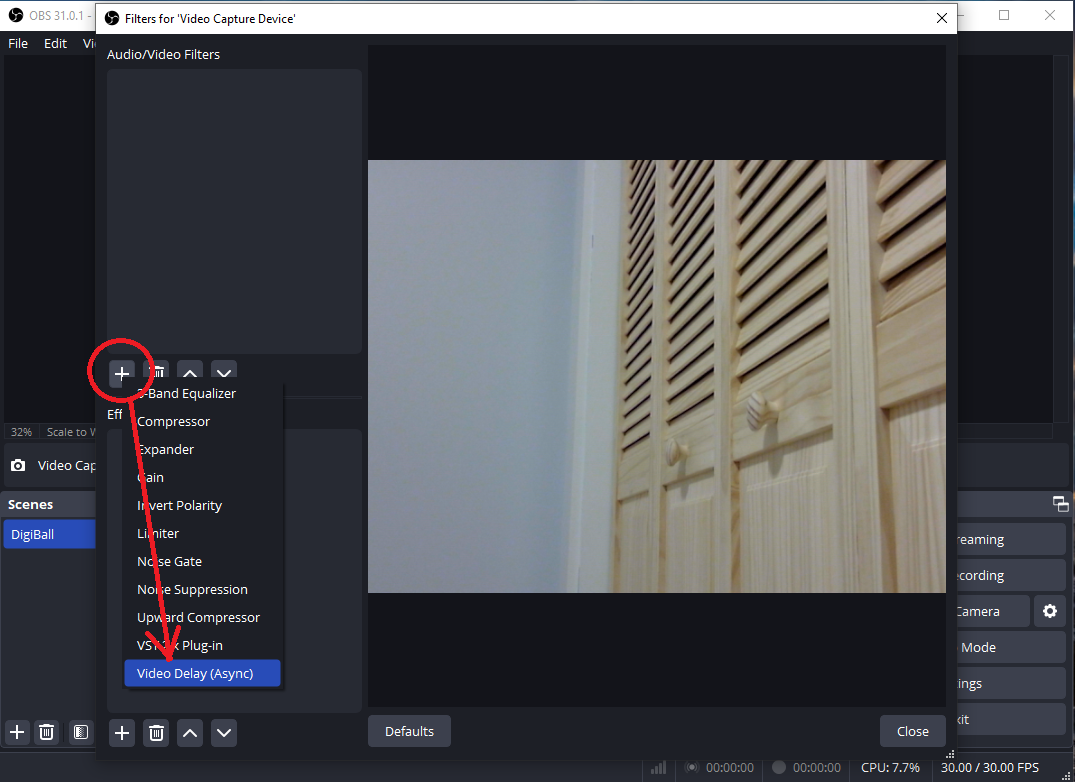
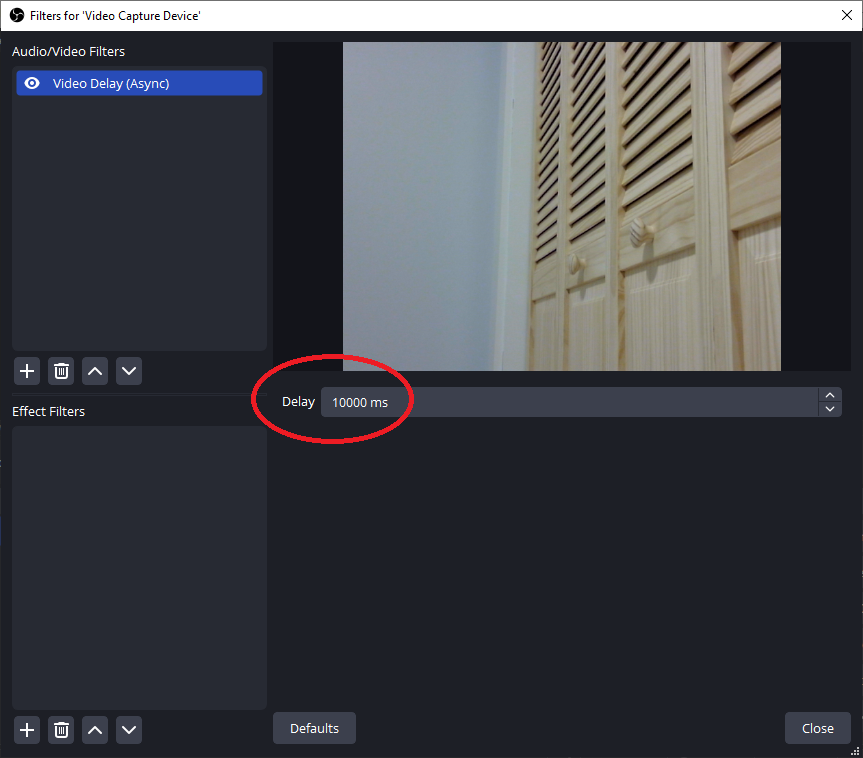
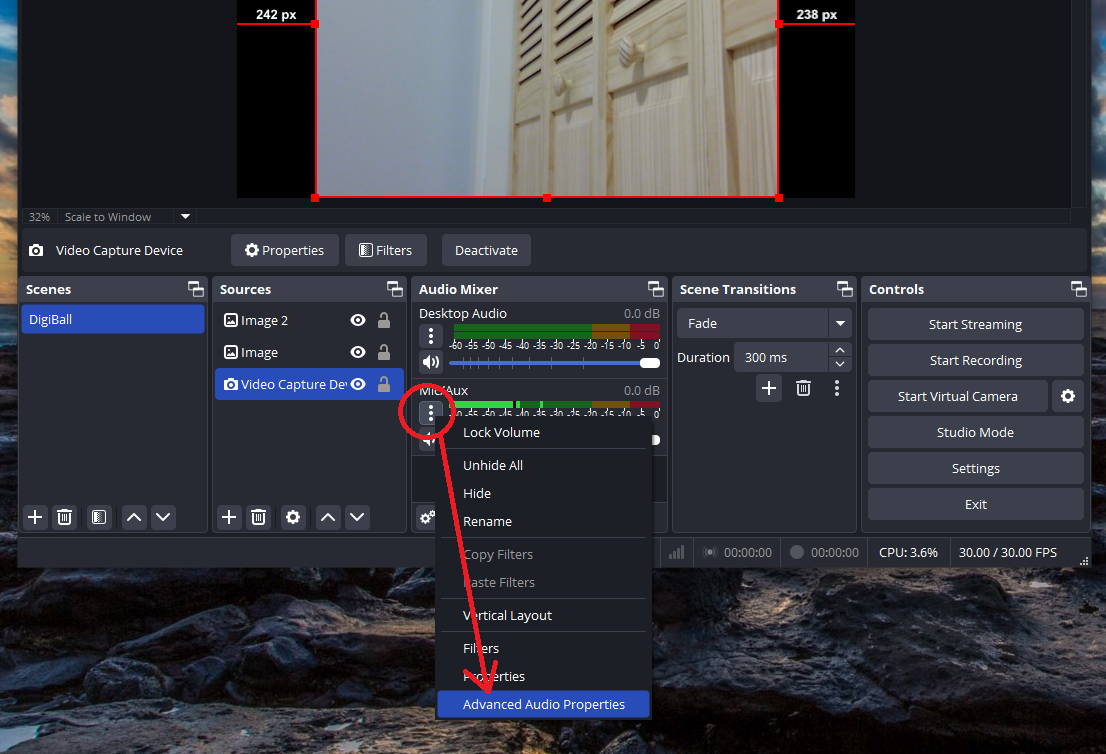
Make sure that the DigiBallScanner app is still running, and then click the Start Recording button to create a video. Press Stream to start streaming if you are set up for it.